
A330-200
A freeware A330-200 for X-Plane 12, built on the default Laminar Research A330-300. The systems are Laminar's. The airframe changes, flight model, fuselage textures, placards and MCDU additions are ours.
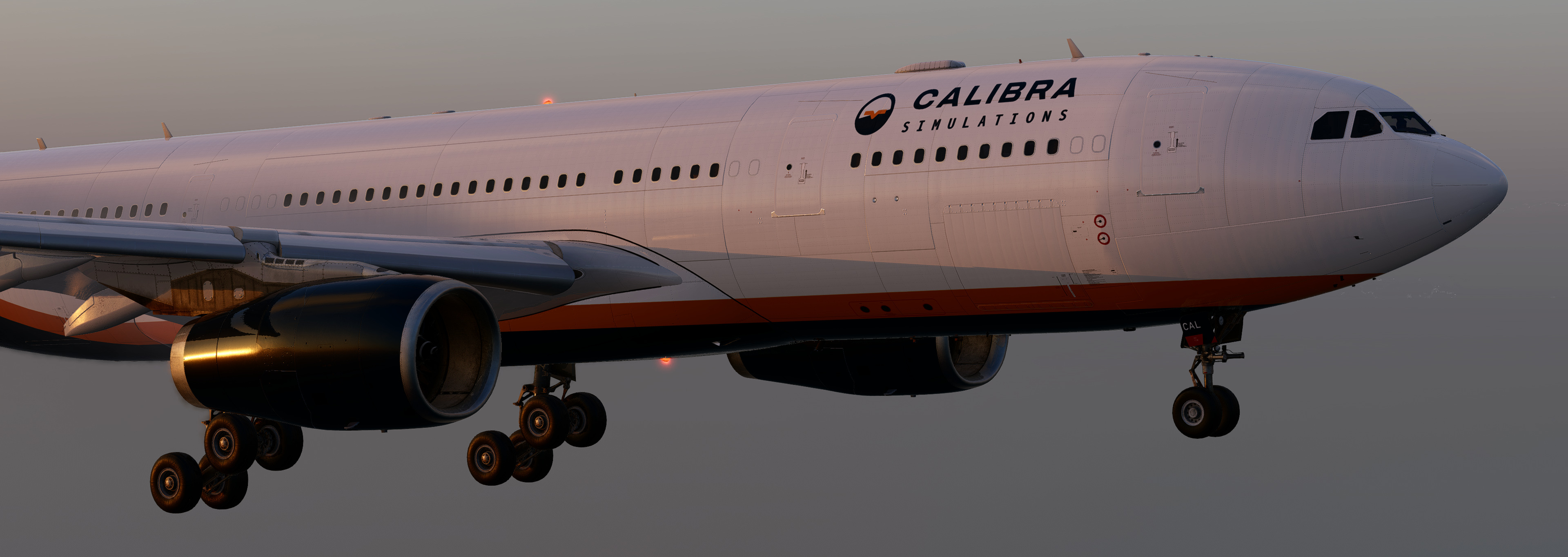
A −200, measured and cut.
- Shortened fuselage
- 3.18 m removed ahead of the wing and 2.10 m behind it.
- The −200 fin
- Taller and wider than the −300 fin, in the 3D model and in the flight model.
- Everything in its −200 place
- Windows, antennas, probes and exterior lights moved to their −200 positions.
- Flight model and weights
- Flight model, weights, sounds, lights and the AI aircraft adjusted to the −200. Empty weight 122.6 t, maximum take-off weight 233 t.
- Cabin
- Shortened to fit, with lights, sounds and animations in place and correct camera limits.
- Jet bridge
- Docks at L1, the main door, or at L2, the second door.
Trent 772B included. CF6 and PW4000 as free add-ons.
The package ships with the Rolls-Royce Trent 772B. The GE CF6-80E1 and Pratt & Whitney PW4000 use Carda's free engine mods, which you download from Carda's pages. The install guide has the steps.
- Native engine switch
- From Plugins → A330-200 by CalibraSim → Engine, or automatically from RR, GE or PW in the livery folder name.
- Engines that vibrate
- They shake as they spool up and follow the wing as it flexes.
- Inlet mist
- Inlet condensation at take-off thrust on very humid days, placed correctly on all three engines.
- MCDU status page
- A/C STATUS shows A330-200 and the engine you chose.
8K, from a clean white base.
- Built from scratch
- New 8K colour, gloss and relief maps for the fuselage, with no leftovers from other paint schemes.
- Placards you can read
- Door placards for all eight doors, cargo doors, warnings, AOA sensor rings, 52 panel codes and service text, drawn as vectors at real millimetre sizes.
- Registration and SELCAL
- Each livery has its own cockpit placard.
- Five liveries
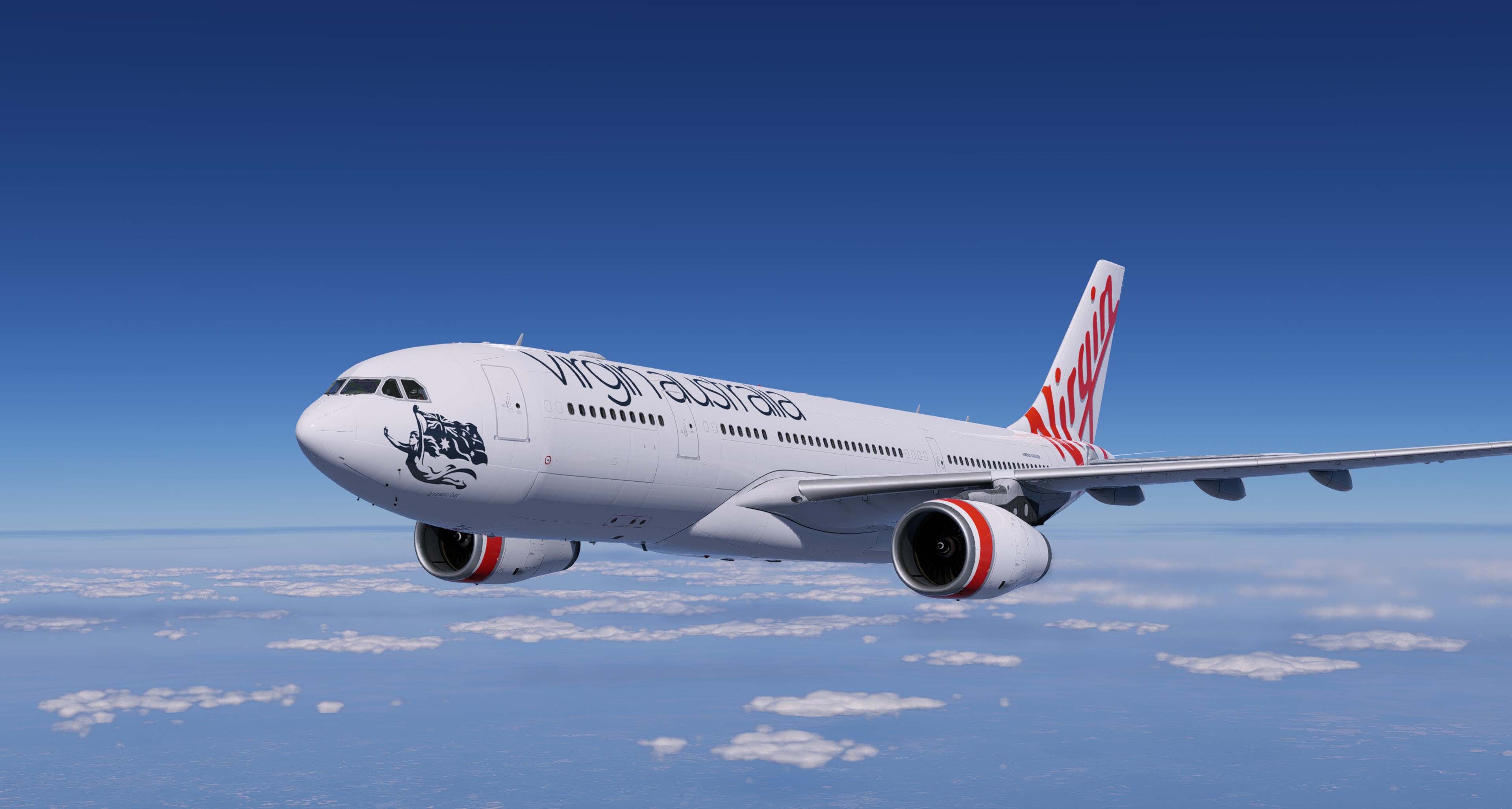
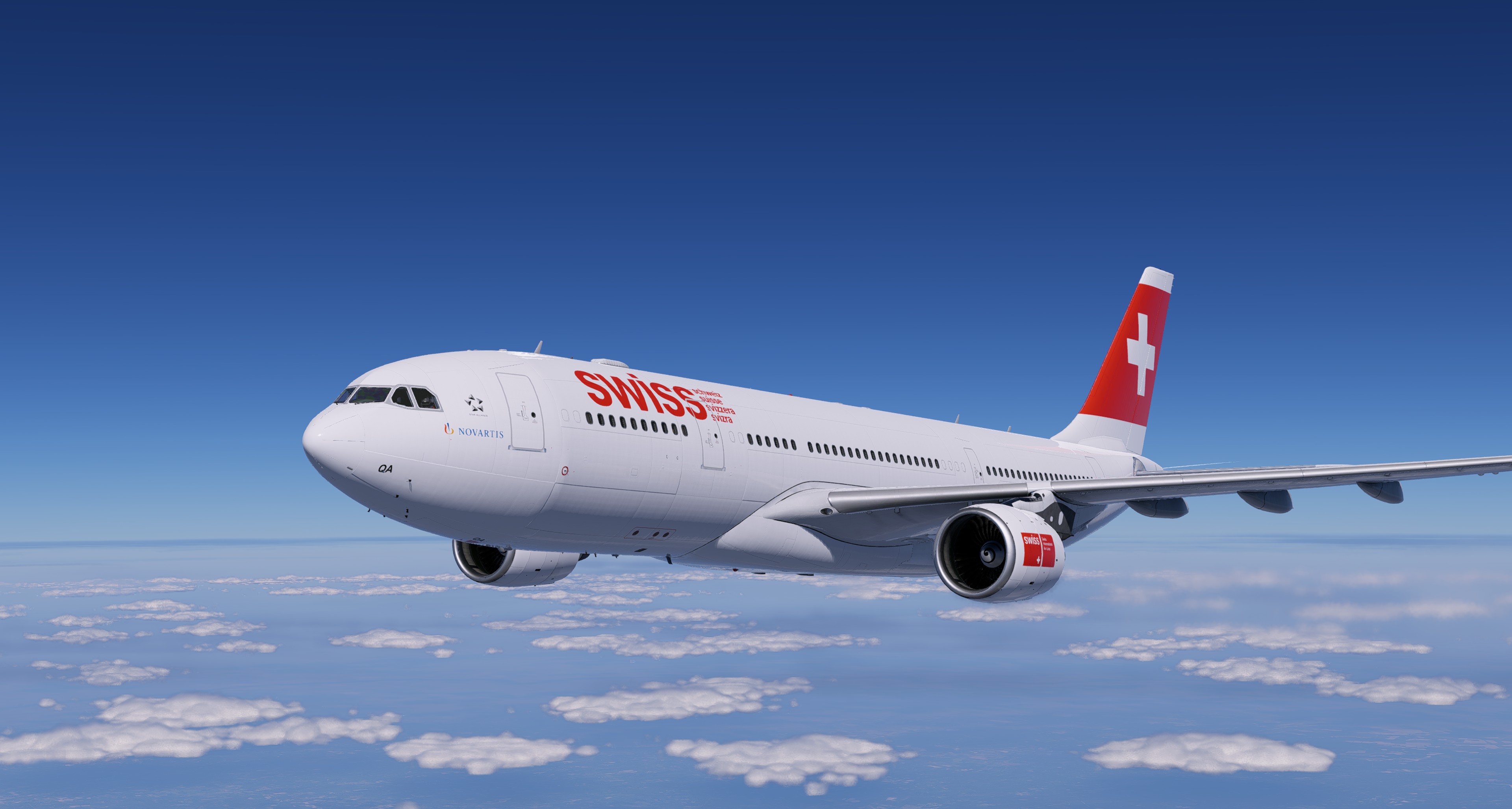
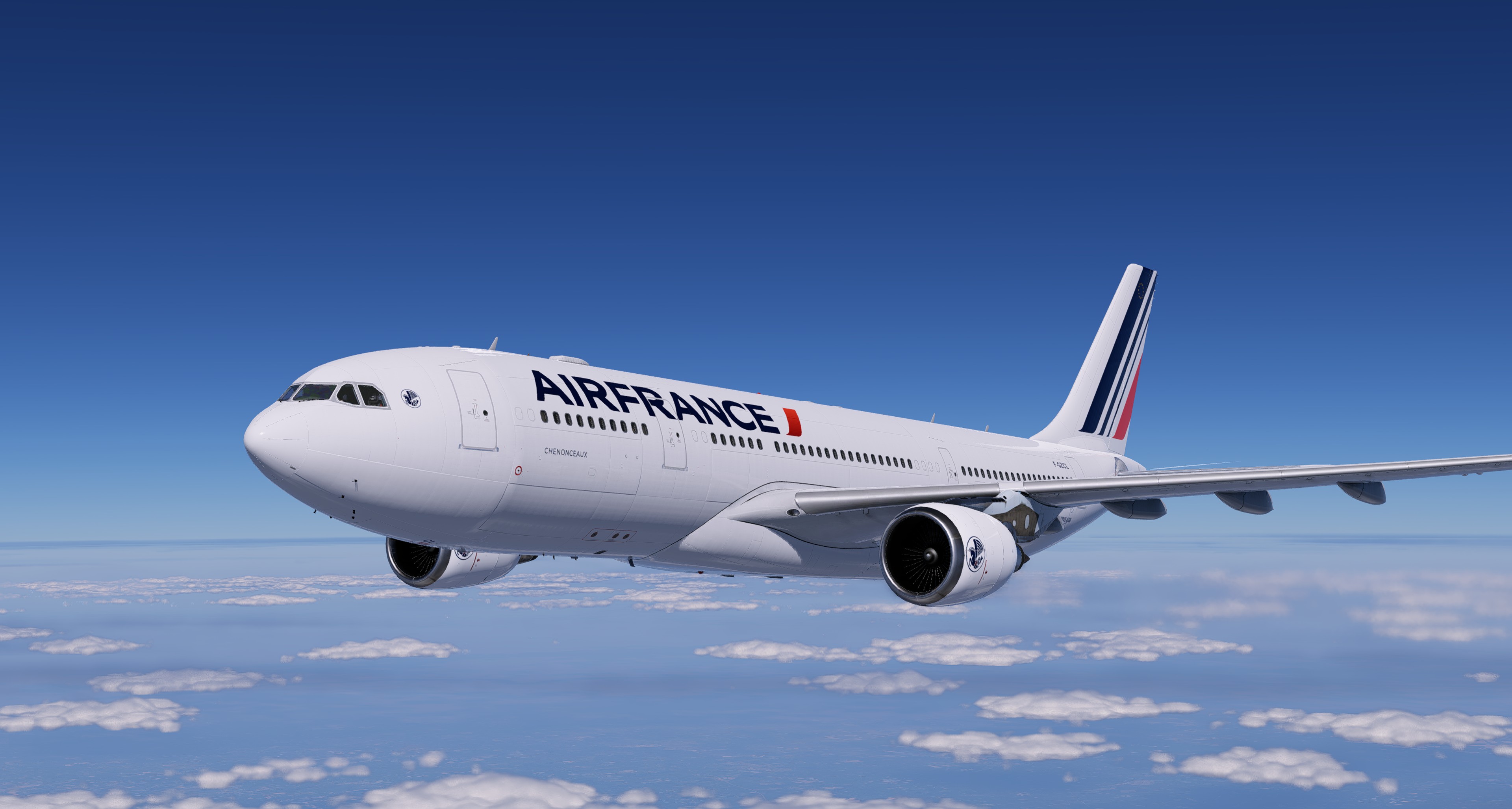
- White base, plus four in 8K: Calibra Simulations House PP-CAL (RR), Virgin Australia VH-XFJ (RR), SWISS HB-IQA (PW) and Air France F-GZCL (GE).
SimBrief without leaving the flight deck.
A plugin for Windows, macOS and Linux adds SimBrief to the MCDU. You need a free SimBrief account and your Pilot ID.
- Pilot ID
- Enter it once on MCDU MENU > ACCOUNT: type the ID in the scratchpad and press LSK1L. The page shows only SET or NONE, never the number. CLR then LSK1L erases it. You can also enter it on the tablet. It is stored for the next flight.
- INIT REQUEST
- Loads your latest flight plan: route, flight number and cruise level. Pick the SID and STAR in the FMS as usual.
- LOADSHEET
- Shows zero-fuel weight and fuel on board, then loads fuel and payload when you confirm. On the ground, engines off, parking brake set.
An electronic flight bag in the cockpit.
The A330-200 has its own tablet. Plan the flight, load the aircraft and check the ground services without leaving the flight deck.
- SimBrief plan
- Your SimBrief plan on the tablet in one tap: route, fuel, alternate and step climbs.
- Weather and ATIS
- For departure, arrival and alternate.
- Load and trim sheet
- Fuel, passengers and cargo loaded straight from the plan, with a real CG envelope and a full load and trim sheet.
- Take-off performance
- Take-off speeds and FLEX computed on the tablet and sent straight to the MCDU. An estimate for the simulator, not for real operations.
- Maps
- Airport map drawn from the scenery installed in your X-Plane, and a route map of your plan.
- Checklist and documents
- A normal checklist by phase, with what the aircraft shows next to each item, and a reader for your own PDFs and for the aircraft documents.
- Failures and saves
- Tyre failures you can trigger, and flight saves with optional autosave.
- Ground services
- Doors, jetway, power and chocks from one page, with a before-pushback check.
- Debug report
- If something looks odd, one tap saves a debug report for our support, with no personal data.
The tablet (EFB) runs on Windows, macOS and Linux (public beta).
Closer to the real aircraft.
- Engine start
- Hot and cold starts, with the light-up sound in step with the ECAM.
- Engine wear
- Up to 15 % per engine, shown on EGT and fuel flow only. Fuel burn is not changed.
- APU
- Waits for the inlet door, shuts down after cooling, with an interruptible start and an APU FAULT caution from the fire handle.
- E/WD memos
- PA IN USE, CABIN in the T.O MEMO, TCAS STBY, IGNITION, ENG START FAULT and THR LEVERS NOT AT IDLE.
- A/C CONFIG
- Signs, letters and aircraft state on the MCDU.
- Autobrake
- Arms only after the ground spoilers, with softer LO and MED.
- Main gear
- The two axles of each bogie touch down separately, each with its own tyre smoke.
- Ice detection
- One cycle for every 0.5 mm of ice with TAT below 10 °C: A.ICE ICE DETECTED, and SEVERE ICE DETECTED after seven cycles in a row. The detector only warns.
- Cabin pressurization
- AUTO mode: the cabin climbs with the aircraft, holds the cruise cabin altitude and descends to arrive at the destination elevation before landing.
- Packs and bleed
- AIR PACK OFF, PACK VALVE FAULT, PACK 1+2 FAULT and AIR ABNORM BLEED CONFIG, with the BLEED page following the air through X BLEED.
- Brakes and tyres
- Carbon brakes that keep heating for minutes after you stop and cool slowly, with the brake fan; tyre pressures on the WHEEL page, and tyre failures you can set on the tablet.
- Batteries and external power
- Each battery keeps its own charge between sessions, with a charge cycle on the ELEC DC page. External power A and B.
- Flight saves
- Save a flight on the ground or in the air and come back to it later, with the FMS, the FCU and the autoflight kept. Optional autosave.
- SimLoad Manager
- Optional, by a third party: boarding and deboarding start from the tablet, at a gate or at a remote stand.
Tablet maps and checklist
- Airports
- The airports installed in your X-Plane on the route map, with a card for runway, elevation, distance and METAR, and a Nearest button.
- Traffic
- AI, LiveTraffic, xPilot and SayIntentions aircraft on the airport map and on the route map, with a TCAS-style diamond and a climb or descent arrow.
- VATSIM and IVAO
- Online aircraft and ATC on the maps, with FIR and TRACON sectors, who controls you and the frequency, and a tap to tune COM1 or COM2.
- Checklist
- Revised after the real A330 normal checklist, with a Standard version that comes with the aircraft and a Custom one that is yours and that the updater never touches.
- Glass reflections
- Four levels in the cockpit glass: FULL, SOFT, BLUR and NO REFLEX, on the MCDU or in the tablet options.
Autoflight and callouts
- Pilot monitoring callouts
- THRUST SET, 100 KNOTS, V1, ROTATE, POSITIVE CLIMB, gear and flaps, ONE THOUSAND TO GO, SPOILERS, REVERSE GREEN, DECEL and 70 KNOTS, with voice and the matching warnings. On by default, switchable on the tablet.
- Speed limited to VMAX
- The speed target, selected or managed, never goes above the flap, gear or clean limit.
- Go-around
- The aircraft holds green dot, limited by the flap limit, until the FMS target recovers.
- Take-off
- THR RED/ACC can be entered, SRS changes to CLB at the acceleration altitude, and NAV and CLB arm on the ground with a route and V2 entered.
- Landing
- The stabiliser freezes below 100 ft and on the rollout, and the ground spoilers stay out until retracted.
- Step climbs
- A STEP ALTS page on the MCDU with up to four steps, filled from SimBrief.
- Rain on the windshield
- Fine drops that grow with the rain intensity.
Development update: rain, callouts and autoland
All the differences from the A330-300
Two fixes you will notice
- Autopilot disconnect warning
- MASTER WARNING lights up when the autopilot is disconnected from the FCU or the sidestick.
- FLEX take-off
- No thrust jump at 2,500 ft during a FLEX take-off.
A manual in the cockpit.
The aircraft comes with seven documents: a flight manual of 239 pages, a quick start, a quick reference, the differences from the A330-300, the changelog, the known limitations and the credits.
They open on the tablet, in Options > Support > Aircraft documents, with a reader that searches the text and shows the contents. They are also in the Documentation folder of the aircraft.
Repaints are welcome.
The paint kit comes as layered PSD files, one per fuselage section, in 8K and 4K, with a guide to the unused areas of each sheet. It is a separate download from the aircraft.
Download the paint kit 421 MB
SHA-256: 38f298699f9ff5f2a76fe4b5265e0d282a9dc4677baa1c5cd00062b10a57e424
Includes layered PSD files by M2mm and MizuNum and a UV mask by Bigode, from the Calibra Simulations community.
What this aircraft is not.
- The cockpit systems are those of the default A330, with the changes listed on this page.
- The FMS fuel and time predictions use the default X-Plane performance tables, except for the descent path, and have not been validated against airline data. Expect differences from SimBrief.
- The cabin layout is not that of a specific airline.
- Public beta: Windows, macOS and Linux. The Windows plugin is tested. On macOS one tester has flown it, and the Linux plugin is compiled but not yet tested. Please tell us whether they work, through the bug form or Discord.